The VideoProcessor is the base class to implement any video processor.
More...
#include <foleys_VideoProcessor.h>
The VideoProcessor is the base class to implement any video processor.
It offers an interface, how the VideoMixer will call supplying Images. Similar to the AudioProcessor, you can add ProcessorParameters to control the behaviour of the VideoProcessor.
◆ VideoProcessor()
◆ ~VideoProcessor()
◆ getName()
| virtual const juce::String getName |
( |
| ) |
const |
|
pure virtual |
Override this method to return a human readable name to identify the processor later.
Implemented in ColourCurveVideoProcessor.
◆ processFrame()
| virtual void processFrame |
( |
juce::Image & |
frame, |
|
|
int64_t |
count, |
|
|
const VideoStreamSettings & |
settings, |
|
|
double |
clipDuration |
|
) |
| |
|
pure virtual |
Override this method to implement the actual video processing.
The processing is done in place. If you need a copy of the frame, it's best to keep an empty frame as member, where you copy the original before processing and process from the copy into the original.
- Parameters
-
| output | is the image to write into |
| input | is the original image to read from |
| count | this is the frame counter in settings.timebase counts |
| settings | is the output settings that you will produce. You find the size and the timebase here |
| clipDuration | is the duration of the clip. This is especially handy for creating transitions |
Implemented in ColourCurveVideoProcessor.
◆ getParameters()
◆ getStateInformation()
| virtual void getStateInformation |
( |
juce::MemoryBlock & |
destData | ) |
|
|
pure virtual |
◆ setStateInformation()
| virtual void setStateInformation |
( |
const void * |
data, |
|
|
int |
sizeInBytes |
|
) |
| |
|
pure virtual |
The documentation for this class was generated from the following file:

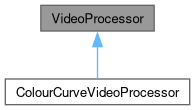
 Inheritance diagram for VideoProcessor:
 1.9.8
1.9.8