|
Video display and composing engine for JUCE
|
|
Video display and composing engine for JUCE
|
#include <foleys_ColourCurveVideoProcessor.h>
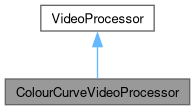
 Inheritance diagram for ColourCurveVideoProcessor:
Public Member Functions | |
| ParameterMap | createParameters () |
| const juce::String | getName () const override |
| Override this method to return a human readable name to identify the processor later. | |
| ColourCurveVideoProcessor () | |
| void | processFrame (juce::Image &frame, int64_t count, const VideoStreamSettings &settings, double clipDuration) override |
| Override this method to implement the actual video processing. | |
| std::vector< ProcessorParameter * > | getParameters () override |
| void | getStateInformation (juce::MemoryBlock &destData) override |
| void | setStateInformation (const void *data, int sizeInBytes) override |
| Public Member Functions inherited from VideoProcessor | |
| VideoProcessor ()=default | |
| virtual | ~VideoProcessor ()=default |
Static Public Member Functions | |
| static juce::String | getPluginName () |
References ProcessorState::getRawParameterValue().
|
static |
Referenced by ColourCurveVideoProcessor::getName(), and VideoPluginManager::VideoPluginManager().
| ParameterMap createParameters | ( | ) |
|
overridevirtual |
Override this method to return a human readable name to identify the processor later.
Implements VideoProcessor.
References ColourCurveVideoProcessor::getPluginName().
|
overridevirtual |
Override this method to implement the actual video processing.
The processing is done in place. If you need a copy of the frame, it's best to keep an empty frame as member, where you copy the original before processing and process from the copy into the original.
| output | is the image to write into |
| input | is the original image to read from |
| count | this is the frame counter in settings.timebase counts |
| settings | is the output settings that you will produce. You find the size and the timebase here |
| clipDuration | is the duration of the clip. This is especially handy for creating transitions |
Implements VideoProcessor.
References ColourCurve::applyLUT(), ColourCurve::applyLUTs(), ColourCurve::calculateColourMap(), and ColourCurve::isLinear().
|
overridevirtual |
Implements VideoProcessor.
References ProcessorState::getParameters().
|
overridevirtual |
Implements VideoProcessor.
References ProcessorState::state.
|
overridevirtual |
Implements VideoProcessor.
References ProcessorState::state.
 1.9.8
1.9.8